
Email deliverability: the complete guide for newsletters
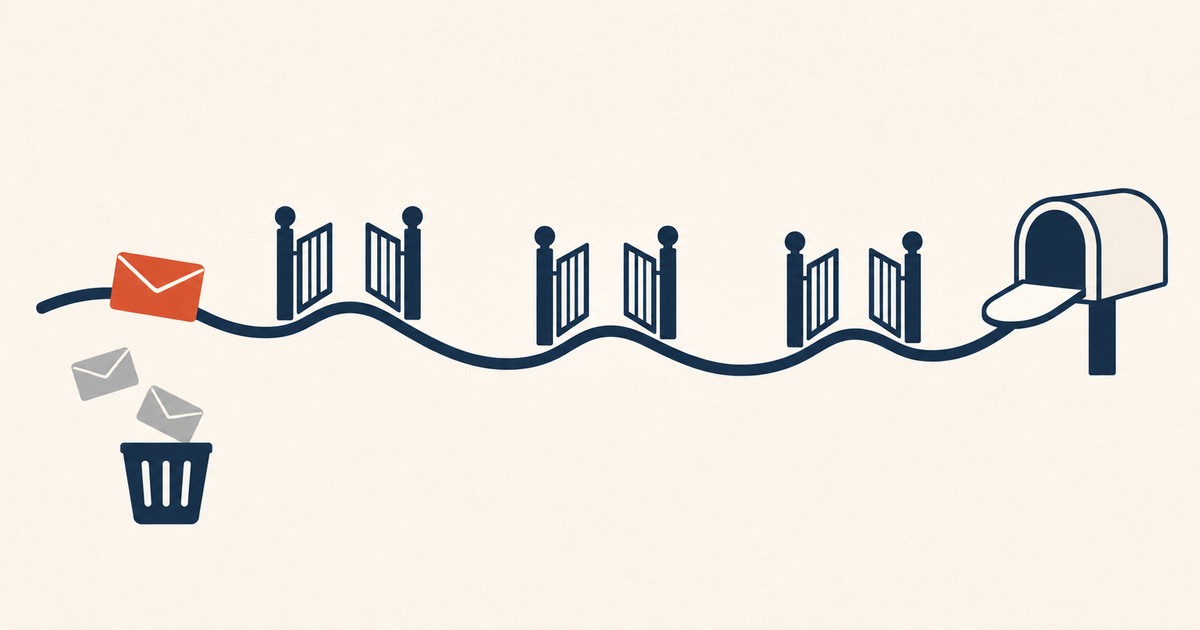
A newsletter can be well written, well designed and sent on time, and still reach almost nobody. The dashboard says "delivered", the open rate quietly falls, and nobody writes in to complain, because the people who would complain never saw the issue. That gap between sending and arriving is what this guide is about.
It is long because the subject has several moving parts. Each section stands on its own, and each one links to a deeper article when there is more to say.
Delivered is not the same as arrived
Email deliverability is whether your newsletter reaches the inbox, the promotions tab or the spam folder. A message can be accepted by the receiving server, counted as "delivered" by your platform, and still land in spam. Deliverability depends on authentication, sender reputation, list quality and how readers react.
There are two events hiding behind the word "delivered". The first is delivery itself: the receiving server accepted your message instead of bouncing it. Most platforms report this as a delivery rate, and it usually sits in the high nineties, which is reassuring and not very informative.
The second is placement: where the accepted message ends up. Inbox, a promotions tab, or the spam folder. Your platform cannot see placement. It only knows the server said yes. If Gmail accepts a thousand copies of your issue and files six hundred of them in spam, your dashboard still shows a thousand deliveries. The only symptom is that fewer people open.
That is why deliverability problems tend to be noticed late. Open rates drift down for a few weeks, you blame the subject lines or the season, and by the time you look at placement the damage has been building for a while.
The 2024 rules, and why they are now enforced
Since February 2024, Gmail and Yahoo require bulk senders to authenticate with SPF and DKIM, publish a DMARC record, offer one-click unsubscribe and keep spam complaints below 0.3%. Microsoft added similar rules for Outlook.com in May 2025. Gmail began rejecting non-compliant mail in November 2025.
For years, authentication was good practice. In February 2024 it became a requirement, and the three providers that matter most for an English-speaking audience now say roughly the same thing.
Gmail treats you as a bulk sender once you send close to 5,000 messages in a day to personal Gmail accounts. Mail from subdomains counts toward the same total, and once you are classed as a bulk sender, the status is permanent. Bulk senders need SPF and DKIM, a DMARC record with at least p=none, a From address that aligns with the domain that passed SPF or DKIM, and one-click unsubscribe on marketing messages. Google started ramping up enforcement in November 2025, and non-compliant mail can now be rejected outright.
Yahoo asks for the same core set: SPF and DKIM, a DMARC policy that passes, one-click unsubscribe, a visible unsubscribe link in the body, and unsubscribes honoured within two days.
Microsoft applied similar requirements to Outlook.com, Hotmail and Live addresses from May 2025 for domains sending more than 5,000 messages a day. Non-compliant mail goes to Junk first and may later be rejected.
If your newsletter is small, you may sit under every one of those thresholds. That does not mean the rules do not apply to you in practice. The providers built these checks because they work as spam signals, and a small sender who skips them looks exactly like the senders the rules were written to catch. Treat the bulk-sender checklist as the minimum for any newsletter.
Authentication: SPF, DKIM and DMARC
SPF lists the servers allowed to send for your domain. DKIM adds a signature that proves the message was not altered. DMARC tells providers what to do when either check fails and requires your From domain to match. Together they prove the newsletter really comes from you.
These three DNS records answer one question for the receiving server: is this message really from who it says it is from?
- SPF is a list of servers allowed to send mail for your domain. When your platform sends on your behalf, its servers need to be on that list.
- DKIM is a cryptographic signature added to each message. The receiving server checks it against a public key in your DNS. If the message was altered on the way, the signature breaks.
- DMARC ties the two to the address your readers actually see. It checks that the domain in your From line matches the domain that passed SPF or DKIM, and it tells the receiver what to do when that check fails.
The most common failure I see in newsletters is not a missing record. It is a mismatch: the newsletter sends from [email protected], but the platform signs with its own domain, so DMARC alignment fails. Most platforms fix this when you verify a custom sending domain with them. The full walkthrough, with the records each one needs, is in SPF, DKIM and DMARC explained for newsletter writers.
Reputation: the part you build every week
Sender reputation is the history providers keep for your domain. It rises when readers open, reply and move your newsletter out of spam, and falls with complaints, bounces and sends to people who never engage. A new domain starts with no history, so volume has to grow gradually.
Authentication gets you through the door. Reputation decides which room you end up in.
Providers keep a running history for every sending domain, and they feed it mostly with how their own users react to your mail. Opens, replies, moving a message from spam to the inbox and adding you to contacts all count in your favour. Spam complaints, deleting without opening, and hard bounces count against you.
Two consequences follow. First, reputation is earned per domain and over time, which is why a brand-new sending domain should start small and grow its volume over a few weeks. That process is covered in warming up an email domain. Second, your reputation reflects your whole list, not your best readers. If half the list never opens, the providers see a sender whose mail is mostly ignored, and they file accordingly, including for the half that would have read you.
Complaints: the number that matters most
Your spam complaint rate is the share of delivered messages that readers mark as spam. Google asks senders to stay below 0.1% and never reach 0.3%. Above 0.3%, a bulk sender loses access to Google's mitigation until the rate stays under it for seven consecutive days.
Of all the signals, the spam button is the loudest. Google's guidance is to keep your user-reported spam rate below 0.1% and never let it reach 0.3%. Above 0.3%, bulk senders become ineligible for mitigation, and they only regain it after seven consecutive days back under the line. Yahoo uses the same 0.3% ceiling.
Those percentages are small. At 0.3%, three complaints in every thousand delivered messages are enough. A single send to an old, cold segment of your list can produce that in an afternoon.
You can see your Gmail spam rate in Google Postmaster Tools once you have enough volume, and the habits that keep it low are in spam complaint rate: the number that decides your inbox.
Unsubscribing: make the exit easy
One-click unsubscribe lets readers leave directly from the Gmail or Yahoo interface, using the List-Unsubscribe and List-Unsubscribe-Post headers defined in RFC 8058. It is required for bulk senders, and it lowers complaints, because readers who can leave easily stop reaching for the spam button.
It sounds backwards, but an easy exit protects your list. A reader who cannot find the unsubscribe link has one other button available, and that button is "Report spam".
Bulk senders now need one-click unsubscribe, built on the List-Unsubscribe and List-Unsubscribe-Post headers from RFC 8058. Gmail and Yahoo use those headers to show their own unsubscribe option next to your name. You also need a visible link in the body, and the request has to be honoured within two days. Most newsletter platforms handle the headers for you. The details, and how to check yours, are in one-click unsubscribe and the List-Unsubscribe header.
Some newsletters go further and put a small unsubscribe link at the top of the issue as well as the footer. It costs a few unsubscribes and saves complaints, which is a trade worth making.
List quality: who you send to
List quality is the share of your subscribers who still want your newsletter and still have a working address. Dead addresses cause bounces, old inactive addresses can turn into spam traps, and readers who never open drag down engagement. Regular cleaning protects the inbox placement of everyone else.
Every deliverability problem I have dealt with came back, sooner or later, to the list.
A list decays on its own. People change jobs and their work address dies. Personal addresses get abandoned. Some abandoned addresses are later recycled by providers as spam traps, which exist to catch senders who never clean their lists. And some subscribers simply stop caring and stop opening.
Three habits deal with most of this:
- Verify before you import. Any list you buy, inherit or bring from another platform should go through an email verifier first. See how to clean an email list before you import it.
- Remove the people who stopped opening. Decide how many sends without an open make someone inactive, try once to bring them back, and then let them go. The process is in email list hygiene.
- Restart cold lists slowly. A list that has not received anything for months should not get a full send on day one. Start with the people most likely to open.
Content and format: smaller than you think
Content matters less to deliverability than authentication, reputation and list quality, but it still counts. Keep HTML light so Gmail does not clip it, include a plain-text version, avoid link shorteners and image-only emails, and write subject lines that match what is inside.
People often start here, rewriting subject lines to avoid "spam words". In practice, content is the smallest of the factors, and the old lists of forbidden words are mostly folklore. Providers judge you on who you are and how readers react far more than on any single word.
What does matter on the content side:
- Weight. Gmail clips messages over 102 KB and hides the rest behind a link. Bloated HTML is common in drag-and-drop builders. See why Gmail clips your newsletter.
- A plain-text version. Sending both HTML and plain text is the normal shape of legitimate mail. Every template on this site ships with one.
- Links. Use your own domain or a well-known one. Link shorteners are widely abused and many filters distrust them.
- Images. An issue that is one big image with almost no text looks like the mail filters were built to stop.
- Honest subject lines. A subject that promises one thing and delivers another earns deletes and complaints, which is how content really affects deliverability.
Testing before you send
An inbox placement test sends your newsletter to a set of seed addresses at Gmail, Outlook, Yahoo and other providers and reports where each copy landed. It checks authentication and content, but seed accounts have no history with you, so results can look better than your real list.
You cannot see placement in your newsletter platform, but you can measure it. An inbox placement test sends your issue to a panel of seed addresses across the main providers and tells you where each copy landed. Most tools also check your authentication and run the message through common spam filters.
Two limits are worth knowing. Seed accounts are new, with no reading history, while real placement in Gmail depends heavily on how your actual readers behave. So a clean test does not prove your list is healthy. It proves your setup and content are not the problem. Free tools also exist for the basic checks. The options are compared in inbox placement test: check where your newsletter lands.
When it goes wrong: a short diagnosis
When opens fall suddenly, check authentication first, then your spam rate in Postmaster Tools, then whether you recently sent to an old or imported segment. A sudden drop usually has a technical cause. A slow decline usually comes from the list itself.
If your open rate drops and stays down, work through the causes in this order:
- Did anything change in your setup? A new sending domain, a platform migration, a DNS change, a new link-tracking domain. Sudden cliffs are usually technical. Check that SPF, DKIM and DMARC still pass.
- What does Postmaster Tools say? If your Gmail spam rate jumped, find the send that caused it.
- Who did you send to? A send to an old segment, an imported list or a batch of new subscribers from a doubtful source can damage the domain for everyone.
- Is the decline gradual? Slow erosion over months is usually the list ageing, and the answer is hygiene, not a new subject line strategy.
Why are my emails going to spam? goes through each cause with the checks to run.
Frequently asked questions
What is a good deliverability rate for a newsletter?
There is no single published benchmark, because your platform reports delivery, not placement. The useful numbers are a spam complaint rate below 0.1% in Google Postmaster Tools, a hard bounce rate close to zero, and open rates that stay stable from one issue to the next.
Do small newsletters need SPF, DKIM and DMARC?
Yes. The formal bulk-sender rules start at around 5,000 messages a day, but the checks behind them are how providers recognise legitimate mail at any volume. Setting them up takes an hour and protects every future send.
Does landing in the Promotions tab hurt deliverability?
Promotions is not spam. Your issue was accepted and filed in a tab, and readers who look there will find it. It usually lowers opens compared with the main inbox, so it is worth understanding why it happens, but it is not a reputation problem in itself.
How long does it take to recover a damaged sender reputation?
It depends on the cause and how bad it got. Google restores mitigation eligibility after seven consecutive days under a 0.3% spam rate, but rebuilding normal placement usually takes several weeks of sending only to engaged readers.
Sources
- Google, Email sender guidelines FAQ
- Yahoo, Sender best practices
- Microsoft, Outlook's new requirements for high-volume senders